
Convert PDFs to Excel in seconds
Extract tables and data from invoices, purchase orders, bank statements, and receipts. Review the results, then export to Excel, CSV, or JSON.
Works with common business documents
Upload any of these — we auto-detect the type and extract the right fields
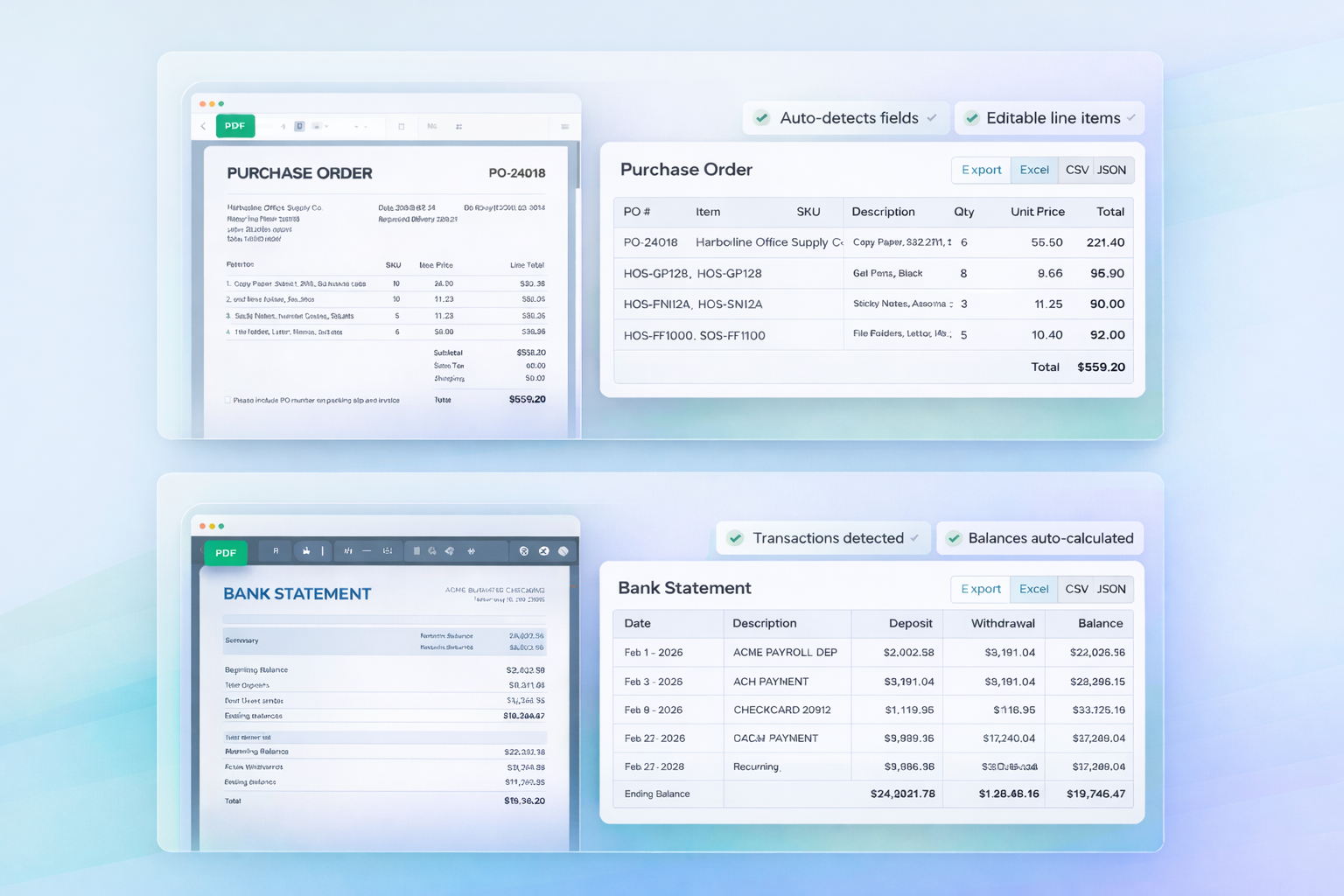
From PDF to editable spreadsheet, ready to export
Line items, transactions, totals—extracted and structured automatically
Upload. Review. Export.
Three steps to structured data.
Upload your document
Drag in a PDF, photo, or scan. We accept invoices, purchase orders, bank statements, and receipts.
Review the extraction
Tables and fields are detected automatically. Make edits inline before you export.
Export your data
Download as Excel, CSV, or JSON. Or copy directly to your clipboard.
Built for Teams That Process Documents Daily
From small businesses to enterprise finance teams.
Accounting Firms
Process client invoices and receipts 10x faster. Extract data for tax prep and audit trails.
Procurement Teams
Convert purchase orders to structured data. Track vendor pricing and compare quotes.
E-commerce
Extract order details from supplier invoices. Update inventory and reconcile payments.
Healthcare
Process medical supply invoices and insurance docs. Reduce admin overhead by 70%.
Stop Typing. Start Extracting.
No templates to configure. No training required. Works with any document layout.
Batch Processing
Upload entire folders at once. Process up to 50 documents simultaneously.
Line Item Extraction
Capture every row from invoices and POs — descriptions, quantities, prices, totals.
Bank-Grade Security
SSL encryption. Isolated processing. Files auto-deleted after extraction.
Multiple Export Formats
Download as Excel (.xlsx), CSV, or JSON. Compatible with any accounting software.
Instant Results
Most documents processed in under 10 seconds. Batch jobs complete in minutes.
Edit Before Export
Review and correct extracted data inline. Make changes before downloading.
Choose the Right Plan for Your Volume
Start free. Upgrade anytime. Cancel anytime.
Beginner
Try our PDF converter free
- 10 pages per month
- All document types
- Excel, CSV & JSON export
- No credit card required
Individual
For freelancers & small teams
- 250 pages per month
- Line-item extraction
- Batch processing
- Email support
Pro
For growing businesses
- 1,000 pages per month
- Vendor templates
- API access included
- Priority support
Business
For teams processing daily
- 2,500 pages per month
- Custom integrations
- Webhook support
- Dedicated support
Common Questions
Everything you need to know about PDF to Excel conversion.
How accurate is the conversion?
Our AI achieves high accuracy on standard documents with clear text and tables. You can review and edit extracted data before exporting.
What document types are supported?
PDFs, JPG, PNG, TIFF images, invoices, purchase orders, receipts, bank statements, and any document with tabular data.
Is my data secure?
Yes. SSL encryption for transfers. Documents processed in isolation and auto-deleted. Never used for AI training.
Do I need templates for each vendor?
No. Our AI adapts to any layout automatically. You can create custom rules for specific vendors if you want 100% consistency.
Can I integrate with QuickBooks?
Yes. Export to CSV or Excel compatible with QuickBooks, Xero, Sage, NetSuite, and SAP. API available for direct integration.
How fast is extraction?
Most documents process in under 10 seconds. Batch uploads of 50 documents typically complete in 2-3 minutes.
Ready to Stop Manual Data Entry?
Start batch processing documents and save hours every week.