
Convert Bank Statement PDF to Excel
Upload a PDF bank statement. Get clean Excel or CSV in seconds. No templates, no field mapping, no setup.
- ✓ Bank statement to Excel, CSV, or QuickBooks (QBO)
- ✓ Balance validation catches errors automatically
- ✓ Review & edit every transaction before download


 + regional banks & credit unions
Bank statement extraction with validation built in
Most PDF converters only extract text. SendItSheets extracts bank transactions and checks the numbers — so errors are caught before they hit your books.
Balance reconciliation
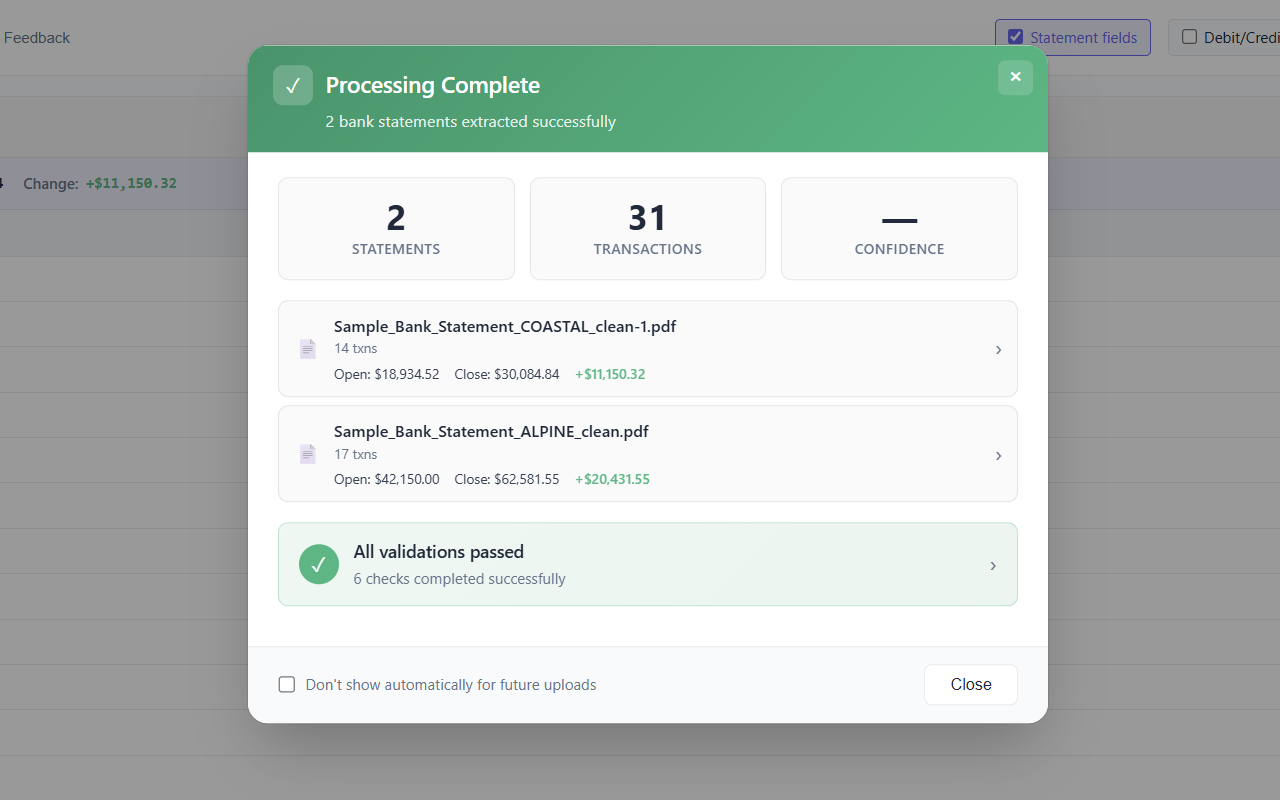
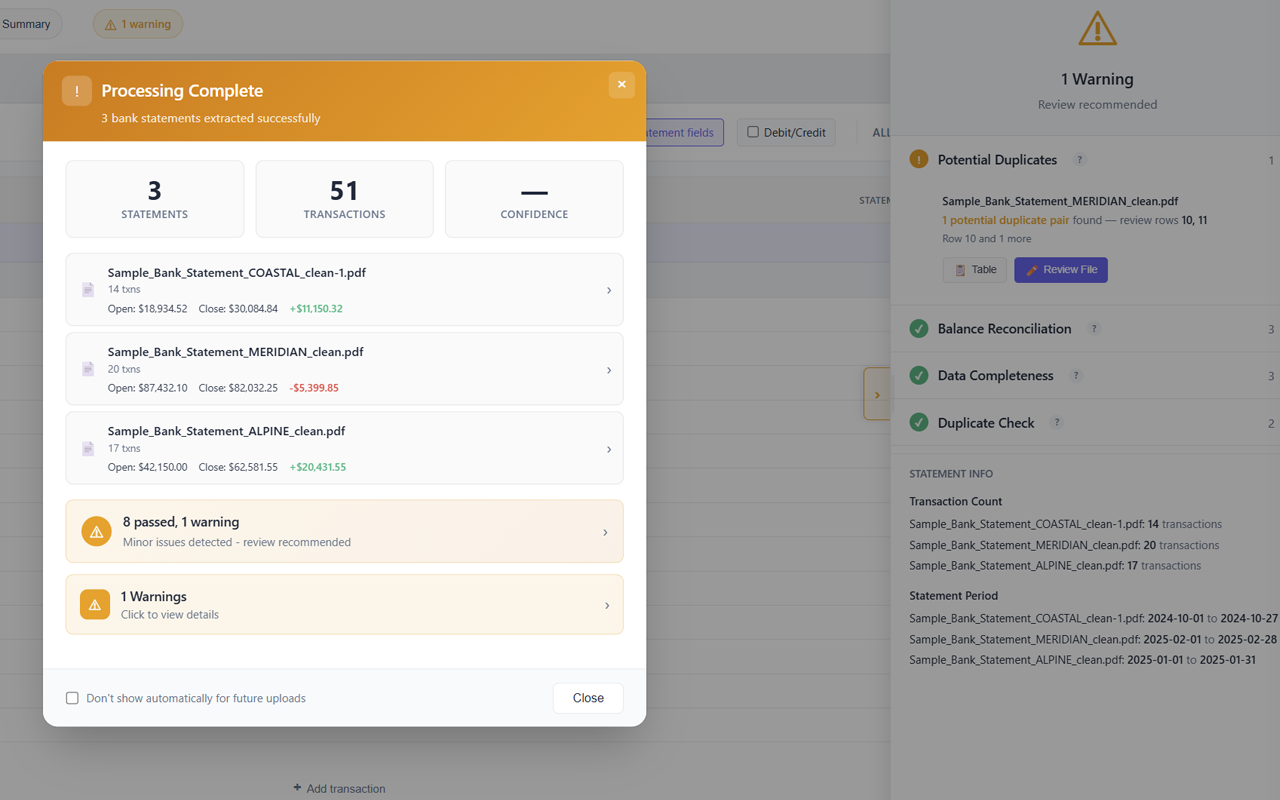
Beginning balance plus extracted transactions equals ending balance — verified automatically before you download. Off-by-a-cent errors get flagged, not silently exported.
Duplicate detection
Messy PDF extractions can produce double-counted rows. SendItSheets flags duplicate transactions with row references so you can review before exporting — not after a reconciliation goes sideways.
Missing-data checks
Missing dates, descriptions, amounts, or balances are highlighted before export. You see exactly which rows need attention, with no surprises when the file lands in QuickBooks.
How to convert a bank statement PDF to Excel
Three steps. No templates. No field mapping. No integration setup.
Upload your PDF
Drop one or many bank statement PDFs into the upload area. Scanned and photographed statements work too — OCR runs automatically.
Review the extraction
Every transaction extracted with date, description, type, and amount. Balance validation already complete. Edit any cell that needs correction.
Download in your format
Export to Excel, CSV, or QBO for QuickBooks. Validation results travel with the file so reviewers downstream can confirm clean data.
Bank statement converter: common questions
Try it with your own bank statement
Drop a real PDF. See the extraction in seconds. Decide afterward.
Upload bank statement now