
Bookkeeping Cleanup: Handling the Receipt Pile During a Catch-Up Project
To handle a receipt pile during a bookkeeping cleanup, gather every receipt for the cleanup period (paper, photos, emails, PDFs), batch-process them into a single CSV using a document extraction tool like SendItSheets, then import the CSV into QuickBooks, Xero, or your client's accounting software. This approach handles 6-12 months of receipts in 2-3 hours instead of weeks. Free for the first 30 pages during your 14-day trial.
- Process 6-12 months of receipts in one batch session
- One CSV import into QuickBooks, Xero, or Google Sheets
- No per-client subscription - pay only for the cleanup pages
- Designed for one-time projects, not ongoing client management
How to handle the receipt pile during a bookkeeping cleanup
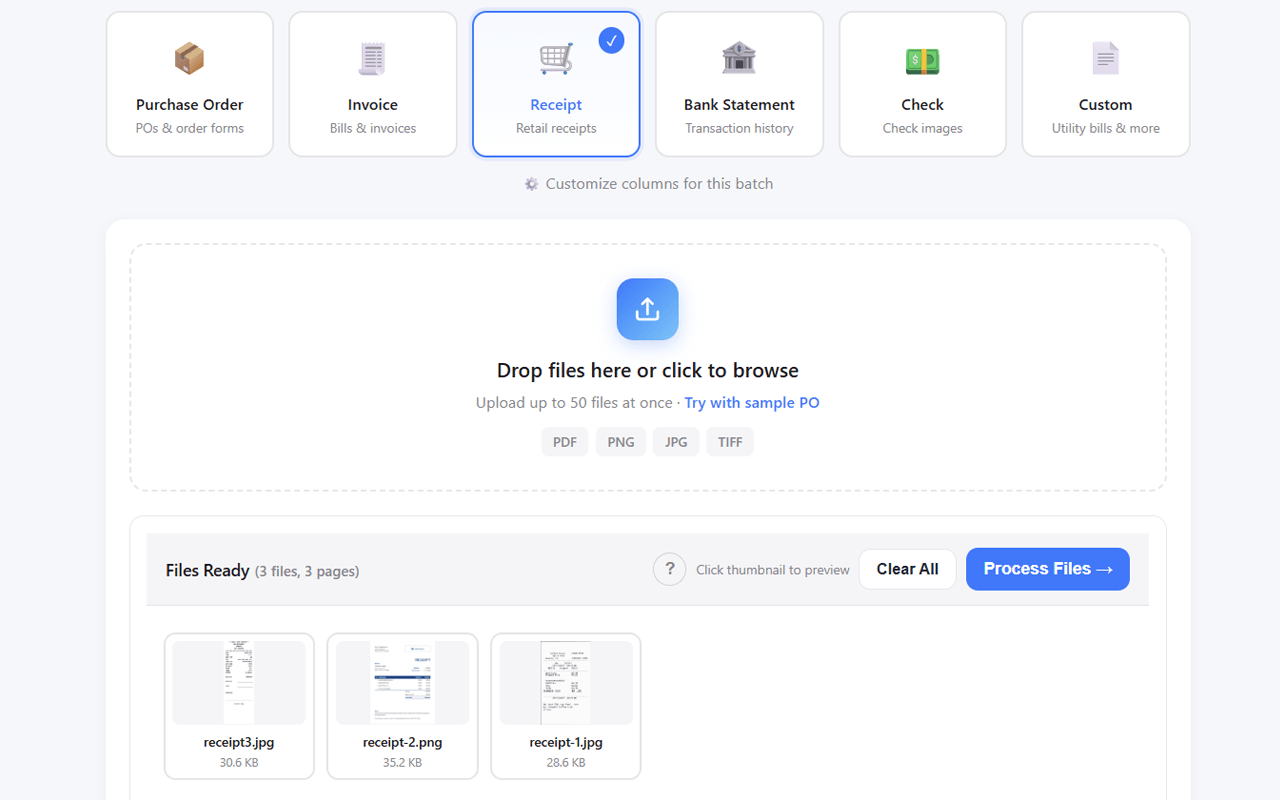
Gather the Receipt Pile
Collect every receipt from the cleanup period across email, phone photos, scanned PDFs, and paper. Bookkeepers commonly inherit boxes, drives, or email folders mixed with non-receipt documents.
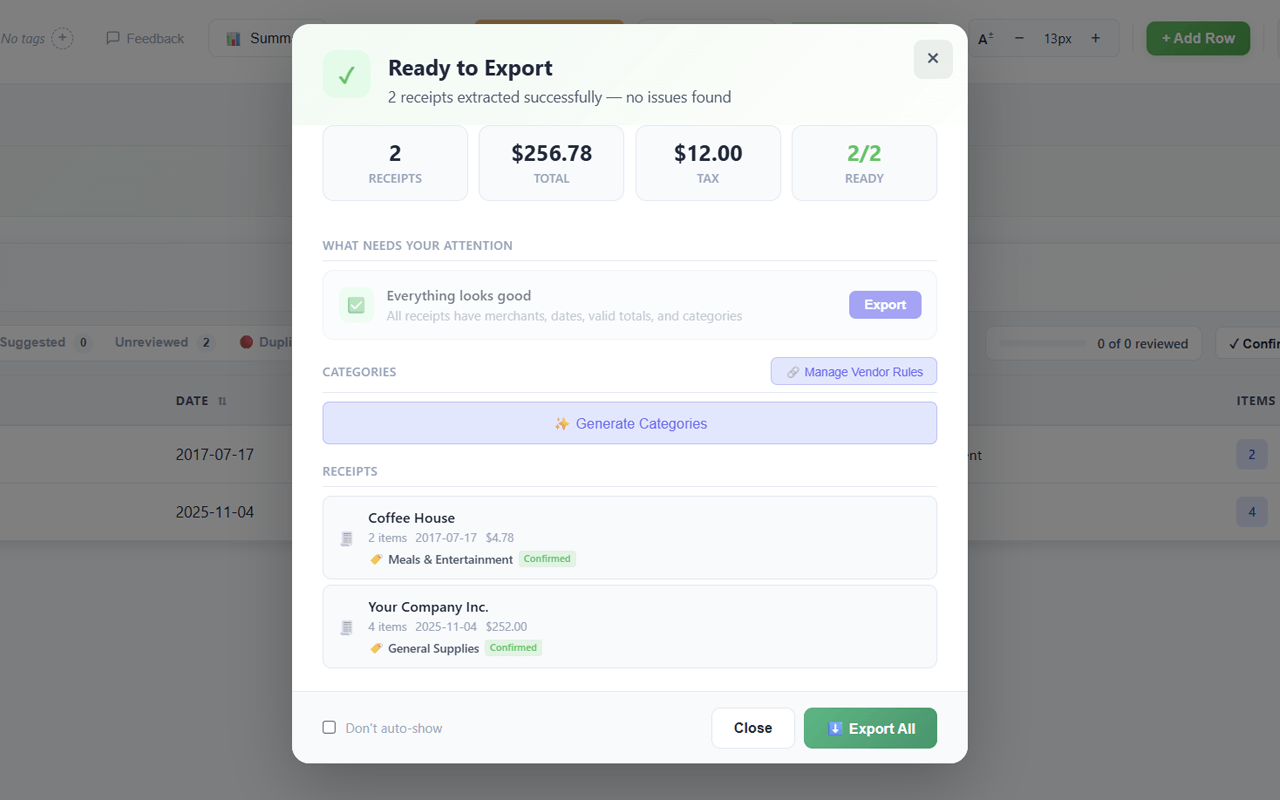
Batch Upload to SendItSheets
Drop up to 50 receipts at a time. SendItSheets accepts mixed formats - phone photos, scanned PDFs, and digital receipts process in the same batch.
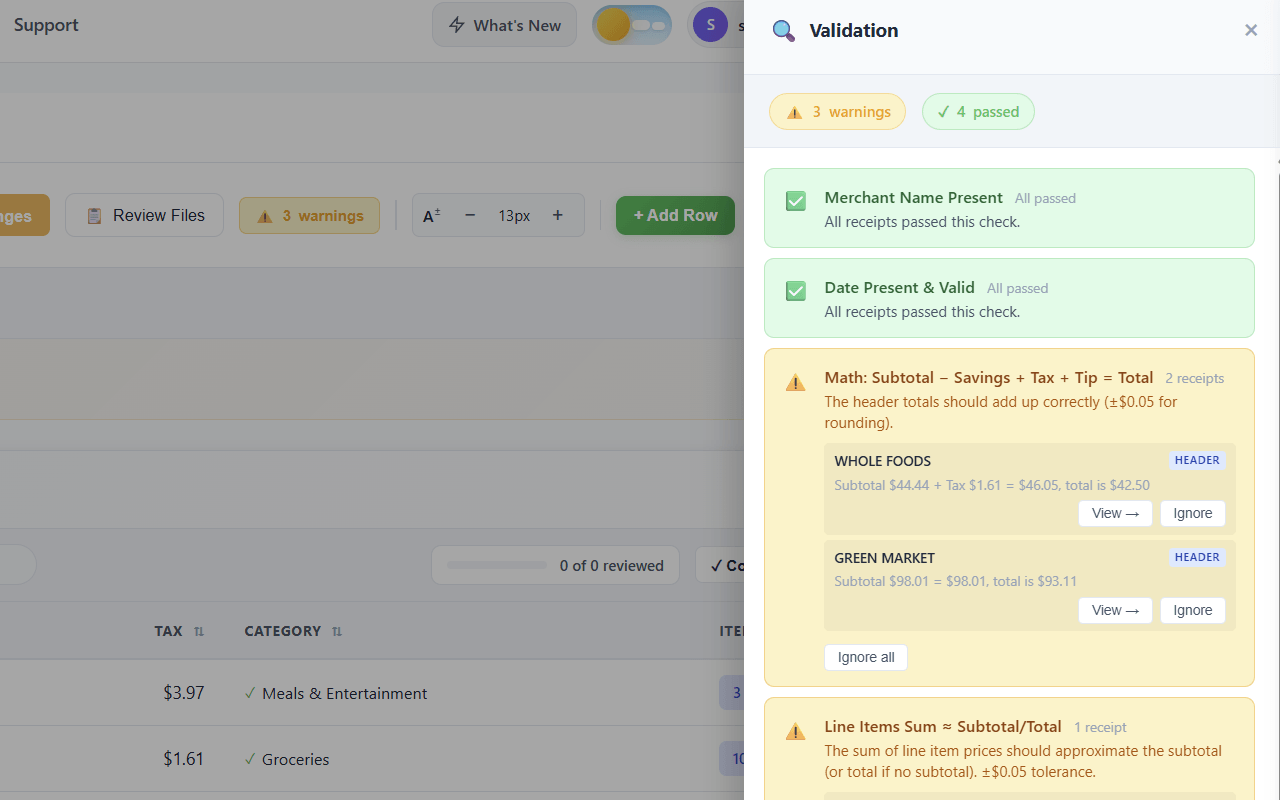
Validate Extracted Data
Review extracted merchant, date, total, and tax for each receipt before exporting. Flagged extractions get human review at this stage rather than after import.
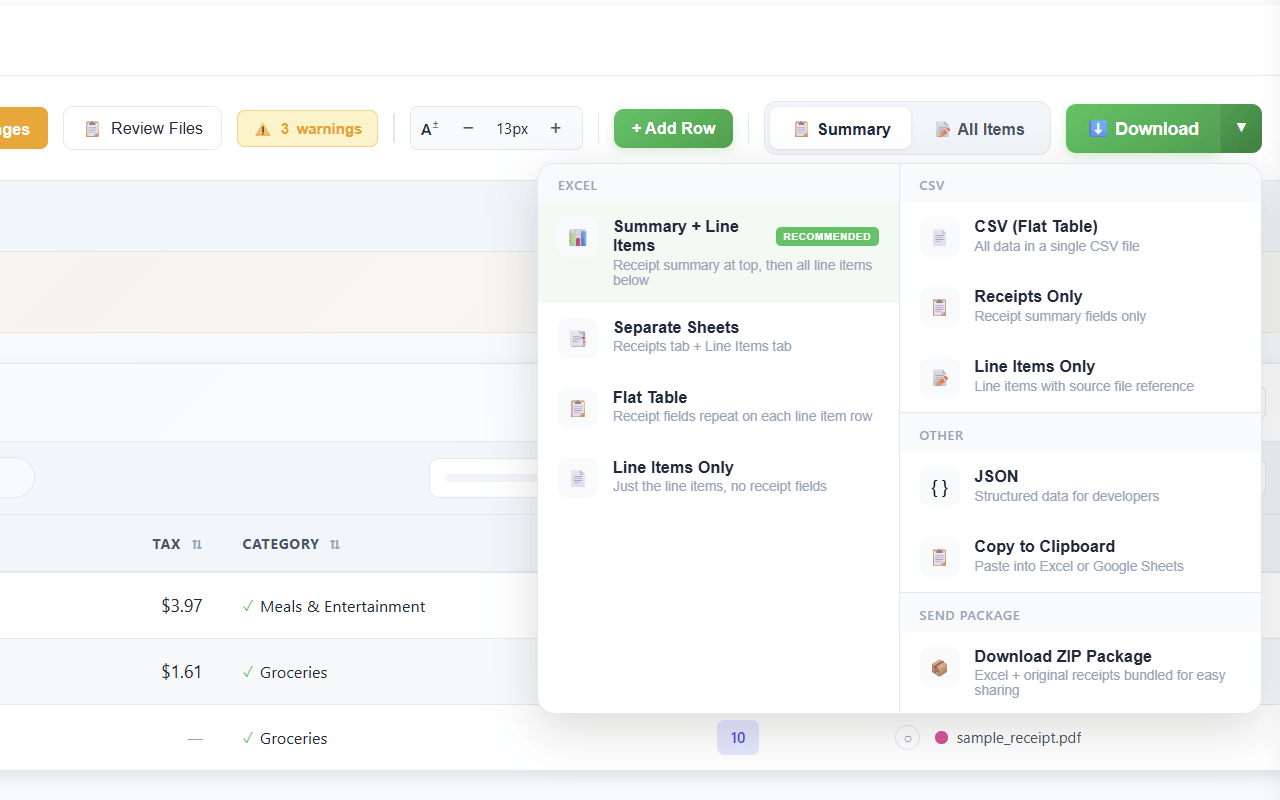
Export and Import
Download as CSV, QuickBooks .QBO, or Excel. Import directly into the client's accounting software. The full receipt pile becomes one organized file ready for categorization in QBO.
SendItSheets works with most common receipt formats - retail, grocery, restaurant, hotel, gas station, rideshare, phone photos, scanned PDFs, and digital PDFs. See the full list of supported receipt types on the receipt extraction page.
Why SendItSheets Fits Cleanup Projects
Most receipt tools are built for ongoing capture - daily mobile uploads, monthly subscriptions per client, dedicated account setup. Cleanup projects are different: they're one-time, high-volume, and time-bounded. SendItSheets fits this workflow without per-client overhead.
- Pay-per-page model - process a 6-month cleanup, then stop, no monthly fees
- No per-client account setup - just upload and process
- Batch up to 50 receipts at once for fast catch-up
- Mixed-format support - phone photos, scanned PDFs, and digital receipts in one batch
- Direct CSV/QBO export for QuickBooks, Xero, FreshBooks, Wave
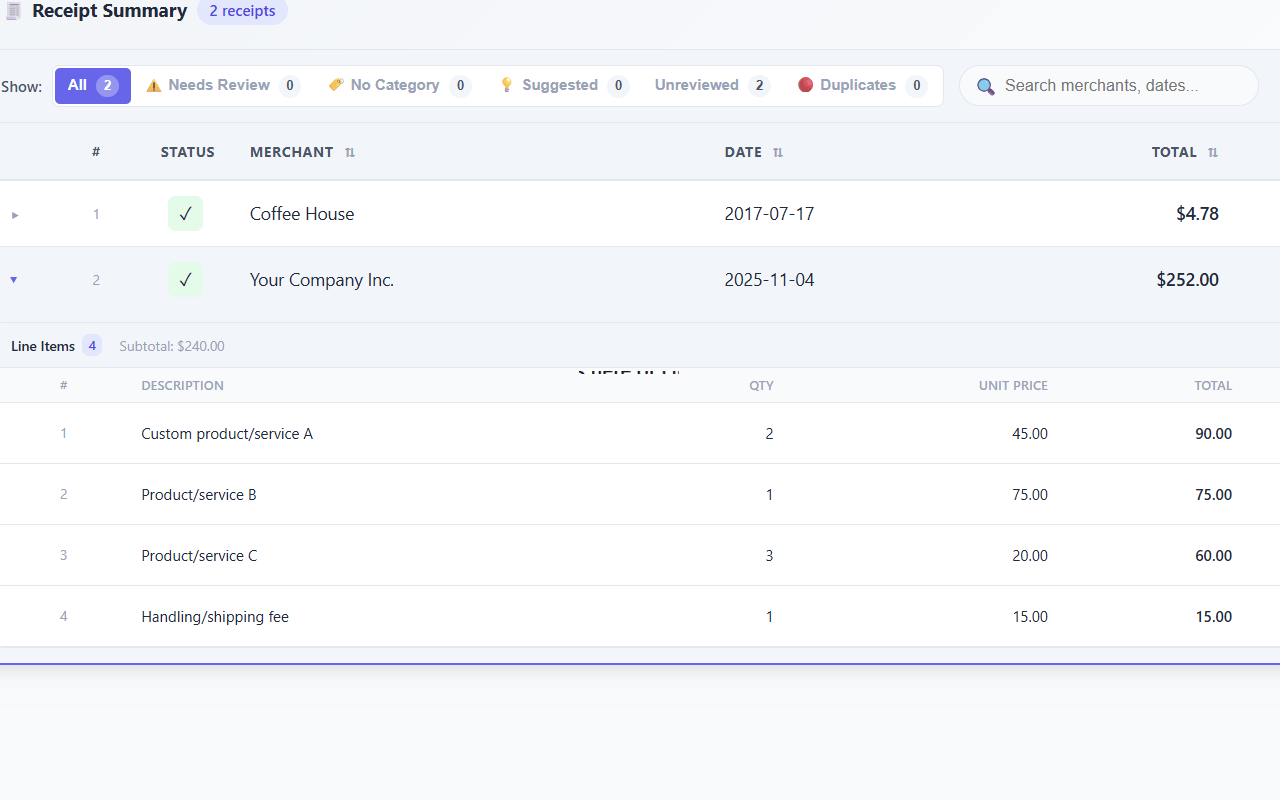
Real-world receipts aren't pristine - phone photos can be blurry, thermal paper fades, scans get skewed. See what SendItSheets handles well and where extraction quality drops on the receipt extraction page.
Who uses bookkeeping cleanup receipts?
New Client Onboarding
You inherited a client whose books are 6 months behind. Process the entire receipt backlog in one batch session, then move to ongoing monthly bookkeeping.
Year-End Catch-Up
January through March, multiple clients realize their receipts haven't been logged. Process each client's pile sequentially without spinning up dedicated tool subscriptions.
Software Migration
Client moving from one accounting software to another. SendItSheets re-extracts the receipt data into a clean CSV that imports into the new system.
What are the alternatives?
Three ways to handle the receipt pile during a cleanup:
Manual entry
Pros: Free, no tools needed, full categorization control
Cons: Several hours per 100 receipts, error-prone, doesn't scale to multi-client cleanup season
Per-client subscriptions to Dext or Hubdoc
Pros: Full ongoing receipt capture infrastructure
Cons: Monthly fees per client, setup overhead, oversized for one-time cleanup work
SendItSheets pay-per-page
Pros: Process the pile, stop paying when done, no per-client setup
Cons: Manual upload (not auto-pulling from email), free for 30 pages during a 14-day trial
Manual receipt entry takes 2-3 minutes per receipt. SendItSheets takes about 6 seconds. See the full time-savings comparison on the receipt extraction page.
Bookkeeping cleanup is a different workflow from ongoing client bookkeeping. The needs are different, the tools that fit are different, and the cost structure that makes sense is different.
Ongoing bookkeeping benefits from tools like Dext, Hubdoc, or Receipt Bank because clients are continuously generating receipts. The monthly subscription pays for itself in continuous data capture, and the auto-pull-from-email integrations save real time month over month.
Cleanup work is the opposite shape. A bookkeeper inherits 6-12 months of unprocessed receipts as a one-time project. The receipts already exist - they just need to be processed. There is no ongoing capture problem to solve. Once the cleanup is done, the bookkeeper either transitions the client to ongoing tools or closes the engagement entirely.
This is where pay-per-page tools fit. SendItSheets processes 50 receipts at a time, exports to CSV or QBO, and stops costing money when the project ends. There is no per-client setup, no account provisioning, no email forwarding rule to configure and later remove. Drop the receipts in, get a structured file out, import into the client's accounting software.
Many cleanup engagements involve multi-account bank statements (small businesses with combined checking, savings, and credit card on one PDF, holding companies with consolidated entity statements). For methods comparison and per-account splitting details, see our multi-account bank statement extraction guide
The realistic time math: a 6-month receipt pile of 200 receipts takes about 30 minutes to upload in batches, 30 minutes to validate, and exports as a single CSV. Categorization in QuickBooks afterwards is the bookkeeper's standard workflow regardless of how the receipts arrived. Total receipt-side time: under 90 minutes for what manually would be 6-10 hours of typing.
Related receipt resources
- Receipt to Excel converter - the comprehensive receipt extraction guide
- Receipt to CSV converter - for the CSV export workflow specifically
- Receipt to QuickBooks workflow - for direct QBO import details
- Receipt to Google Sheets - for clients using Google Sheets instead of QuickBooks
- Bank statement to Excel - for the bank statement portion of cleanup work
Bookkeeping Cleanup Receipts: Frequently Asked Questions
Process the Receipt Pile in Under an Hour
Stop typing receipts during cleanup season. Batch upload up to 50 at a time, export as CSV or QBO, and import into your client's books. Start with 30 free pages over 14 days. No credit card required.
Try It Free